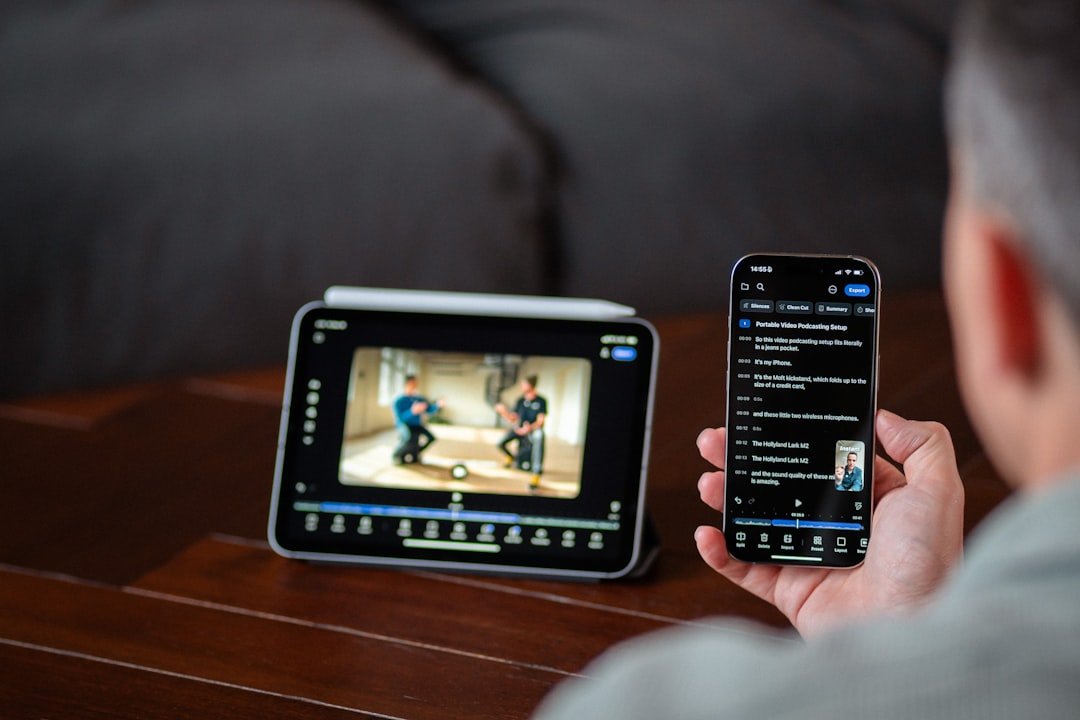
In the ever-evolving landscape of personal computing, tablets and laptops have emerged as two of the most popular devices for both casual users and professionals alike. While both serve the fundamental purpose of computing, they cater to different needs and preferences, leading to distinct user experiences. Tablets, characterized by their lightweight design and touch-centric interfaces, offer a more intuitive approach to computing, often appealing to those who prioritize portability and ease of use.
On the other hand, laptops, with their traditional keyboard layouts and robust processing capabilities, are designed for users who require more power and versatility in their computing tasks. The differences between these two devices extend beyond mere form factors; they encompass aspects such as performance, software compatibility, and user interaction. Understanding these differences is crucial for consumers looking to make informed decisions based on their specific needs.
Whether one is a student needing a device for note-taking, a professional requiring software for complex tasks, or a casual user seeking entertainment on the go, the choice between a tablet and a laptop can significantly impact productivity and overall satisfaction.
Portability and mobility: How tablets and laptops compare in terms of ease of use on the go
When it comes to portability, tablets have a clear advantage over laptops. Weighing significantly less than most laptops, tablets are designed for easy handling and transport. For instance, a typical tablet can weigh as little as one pound, making it easy to slip into a bag or carry under one arm.
This lightweight nature allows users to navigate crowded spaces, such as public transport or cafes, with minimal hassle. Additionally, the compact size of tablets means they can be used in tight spaces where a laptop might be cumbersome, such as on an airplane tray table or while standing in line. However, while tablets excel in portability, laptops offer a different kind of mobility that caters to users who require more robust functionality.
Many modern laptops are designed with slim profiles and lightweight materials, making them more portable than their predecessors. For example, ultrabooks can weigh around two to three pounds and boast impressive battery life. This balance of power and portability allows users to perform demanding tasks while still being able to move around easily.
Furthermore, laptops typically come equipped with larger screens that enhance productivity during work sessions, making them suitable for users who need to engage in more complex activities while on the go.
Input methods: Exploring the differences in typing and touch screen capabilities

The input methods available on tablets and laptops represent one of the most significant distinctions between the two devices. Tablets primarily rely on touch screens for interaction, which can be both an advantage and a limitation. The touch interface allows for intuitive navigation through apps and content, making it easy to swipe, pinch, and tap.
This is particularly beneficial for casual users who engage with multimedia content or social media platforms. However, the absence of a physical keyboard can hinder typing efficiency for those who need to produce lengthy documents or emails. While many tablets offer optional keyboard attachments or stylus support for note-taking, these accessories may not replicate the experience of using a traditional keyboard.
In contrast, laptops are equipped with full-sized keyboards that facilitate fast and accurate typing. This is especially important for professionals who spend significant time drafting reports or coding software. The tactile feedback provided by physical keys enhances the typing experience, allowing users to maintain a higher level of productivity.
Additionally, many laptops feature touchpads that support multi-touch gestures, providing an alternative method of navigation that can be more precise than touch screens in certain contexts. Some high-end laptops even incorporate touchscreen technology, merging the benefits of both input methods and offering users greater flexibility in how they interact with their devices.
Multitasking and productivity: Comparing the ability to handle multiple tasks at once
When evaluating multitasking capabilities, laptops generally outperform tablets due to their superior processing power and operating systems designed for complex task management. Most laptops run full desktop operating systems like Windows or macOS, which support multiple applications running simultaneously without significant performance degradation. This allows users to switch between applications seamlessly—whether it’s editing a document while referencing a web page or running multiple software programs for data analysis—without experiencing lag or slowdowns.
Tablets, while increasingly capable of multitasking through features like split-screen mode or picture-in-picture functionality, often face limitations due to their mobile operating systems. For example, iOS and Android are designed primarily for single-tasking environments, which can restrict how many applications can be actively used at once. Although recent advancements have improved multitasking capabilities on tablets—such as allowing users to run two apps side by side—these features may not be as robust as those found on traditional laptops.
Consequently, professionals who rely on multitasking for their workflows may find laptops to be more suitable for their needs.
Software and applications: Understanding the differences in available programs and productivity tools
| Metric | Tablet Productivity | Laptop Productivity | Difference / Notes |
|---|---|---|---|
| Typing Speed (words per minute) | 30-50 (on-screen keyboard) | 60-80 (physical keyboard) | Laptops enable faster typing due to physical keyboards |
| Portability | High (lighter, smaller) | Moderate (heavier, larger) | Tablets are easier to carry and use on the go |
| Battery Life (hours) | 8-12 | 6-10 | Tablets generally have longer battery life |
| Multitasking Efficiency | Moderate (limited window management) | High (multiple windows, better multitasking) | Laptops support more efficient multitasking |
| Software Availability | Limited (mobile apps) | Extensive (full desktop applications) | Laptops support a wider range of professional software |
| Input Methods | Touchscreen, stylus, limited keyboard | Keyboard, mouse, touchpad | Tablets offer more natural input for drawing and note-taking |
| Setup Time | Instant on, quick access | Longer boot and setup time | Tablets allow faster start-up and use |
| Screen Size | 7-13 inches | 13-17 inches | Laptops provide larger screens for detailed work |
| Ergonomics | Lower (handheld use can cause strain) | Higher (designed for desk use) | Laptops are better for prolonged work sessions |
The software ecosystem surrounding tablets and laptops is another critical factor that influences user choice. Laptops benefit from access to a wide range of desktop applications that are often more powerful than their mobile counterparts. For instance, professional-grade software such as Adobe Creative Suite for graphic design or Microsoft Office Suite for productivity tasks is fully functional on laptops, providing users with comprehensive tools necessary for complex projects.
Additionally, many industries rely on specialized software that may only be available on desktop platforms, making laptops indispensable for professionals in fields such as engineering or data analysis. Conversely, tablets typically run mobile versions of applications that may lack some advanced features found in their desktop equivalents. While many popular apps are available on both platforms—such as word processors or spreadsheet tools—the mobile versions may not support all functionalities required for intensive work.
However, tablets excel in providing access to a plethora of apps designed specifically for touch interaction and casual use. For example, creative apps like Procreate allow artists to leverage the tablet’s touch screen capabilities for drawing and design work in an intuitive manner that may not translate well to a laptop environment.
Battery life and power: Comparing the longevity and performance of tablets and laptops
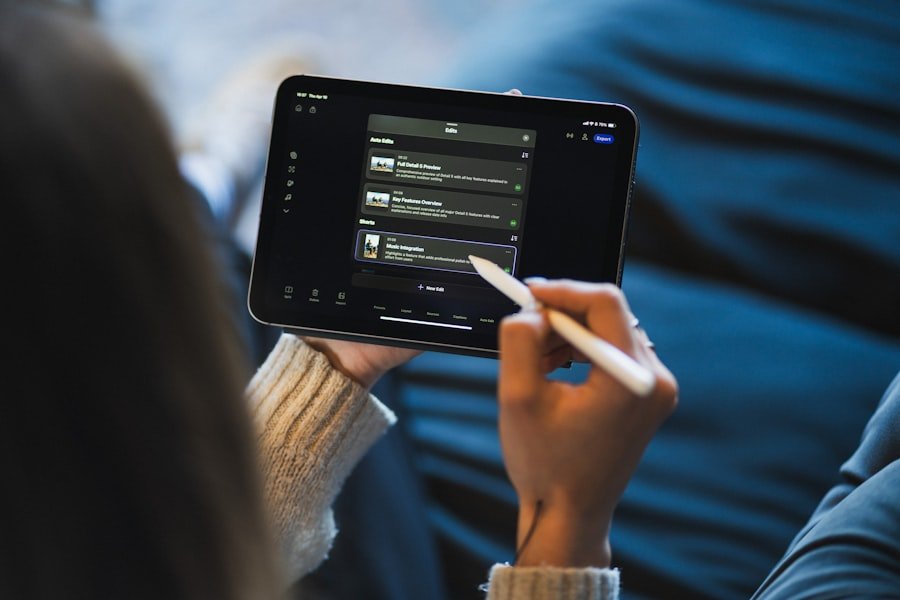
Battery life is often a decisive factor when choosing between tablets and laptops. Tablets generally have an edge in this area due to their energy-efficient designs and lower power consumption requirements. Many modern tablets can last anywhere from 8 to 12 hours on a single charge under typical usage conditions.
This extended battery life makes them ideal for users who need a device that can last throughout the day without frequent recharging—such as students attending classes or travelers on long journeys. Laptops have made significant strides in battery technology as well; however, they still tend to consume more power due to their larger screens and more powerful processors. While some ultrabooks can achieve impressive battery life—often exceeding 10 hours—many traditional laptops may only last around 5 to 8 hours under heavy use.
This discrepancy can be crucial for users who rely on their devices during long work sessions without access to power outlets. Additionally, the performance capabilities of laptops often necessitate more frequent charging when running demanding applications or multitasking extensively.
Connectivity and peripherals: Exploring the differences in external device compatibility and connectivity options
Connectivity options are essential considerations when comparing tablets and laptops. Laptops typically offer a wider array of ports and connectivity options than tablets do. Most laptops come equipped with USB-A ports, USB-C ports, HDMI outputs, Ethernet ports, and audio jacks, allowing users to connect various peripherals such as external monitors, printers, storage devices, and more without needing additional adapters.
This versatility makes laptops particularly appealing for professionals who require extensive connectivity for presentations or collaborative work environments. Tablets have made strides in connectivity but often fall short compared to laptops. Many tablets rely heavily on wireless connections such as Bluetooth or Wi-Fi for peripheral connectivity.
While this can be convenient for certain accessories like wireless keyboards or headphones, it limits options for wired connections that may be necessary in professional settings. Additionally, some tablets may require adapters to connect to standard USB devices or HDMI displays, which can add complexity when setting up workstations or presentations.
Cost and value: Analyzing the financial investment and long-term productivity benefits of tablets and laptops
When considering cost-effectiveness, both tablets and laptops present unique financial implications based on user needs. Tablets generally have lower upfront costs compared to laptops; entry-level models can be found at prices significantly below those of even basic laptops. This affordability makes tablets an attractive option for casual users or students who need a device primarily for browsing the internet or consuming media.
However, while tablets may seem like a budget-friendly choice initially, they may not provide the same long-term value as laptops for users requiring advanced functionality or productivity tools. The cost of additional accessories—such as keyboards or styluses—can add up quickly if users seek to enhance their tablet experience. In contrast, investing in a laptop may yield greater returns over time due to its ability to handle demanding tasks efficiently without requiring supplementary purchases.
Ultimately, the decision between a tablet and a laptop hinges on individual needs and usage scenarios. Users must weigh factors such as portability versus performance, input methods versus multitasking capabilities, software availability versus battery life, connectivity options versus cost considerations before making an informed choice that aligns with their specific requirements.
FAQs
What are the main differences between tablet and laptop productivity?
Tablets generally offer greater portability and touch-based interaction, making them ideal for quick tasks, note-taking, and media consumption. Laptops provide more powerful hardware, a physical keyboard, and a wider range of software, which supports more complex and multitasking productivity needs.
Can tablets replace laptops for work purposes?
Tablets can replace laptops for certain work tasks such as email, document editing, and presentations, especially when paired with accessories like keyboards. However, for intensive tasks like software development, graphic design, or heavy multitasking, laptops are usually more suitable.
How does the user interface affect productivity on tablets versus laptops?
Tablets rely primarily on touch interfaces and sometimes stylus input, which can enhance creativity and ease of use for certain applications. Laptops use keyboard and mouse/trackpad input, which often allows for faster typing and more precise control, benefiting tasks that require extensive text input or detailed navigation.
Are there differences in software availability between tablets and laptops?
Yes, laptops typically run full desktop operating systems (Windows, macOS, Linux) with access to a wide range of professional software. Tablets run mobile or tablet-specific operating systems (iOS, Android, iPadOS) with apps optimized for touch, which may have limited functionality compared to their desktop counterparts.
How does battery life compare between tablets and laptops?
Tablets generally have longer battery life than laptops due to their energy-efficient processors and smaller screens. This makes tablets more convenient for extended use away from power sources, although actual battery life varies by model and usage.
What role do accessories play in enhancing tablet productivity?
Accessories such as detachable keyboards, styluses, and external displays can significantly enhance tablet productivity by enabling easier typing, precise input, and expanded screen real estate, making tablets more versatile for work-related tasks.
Is multitasking easier on laptops or tablets?
Laptops typically offer more robust multitasking capabilities with support for multiple windows, full desktop applications, and easier switching between tasks. Tablets have improved multitasking features but are generally more limited in handling multiple complex applications simultaneously.
How does portability impact productivity on tablets versus laptops?
Tablets are lighter and more compact, making them easier to carry and use in various environments, which can boost productivity for mobile users. Laptops are bulkier but offer more power and functionality, which may be preferred in stationary work settings.