
In contemporary education, laptops function as essential tools for academic work. Students use these devices to access online resources, conduct research, complete assignments, and participate in digital learning environments. Modern laptops enable students to write papers, create presentations, attend virtual classes, and collaborate on group projects.
The increasing integration of technology in educational curricula has created a growing market for laptops that meet student requirements. These devices must provide adequate performance for academic tasks while maintaining portability for campus use and affordability for budget-conscious students. Gaming laptops address different technical requirements compared to educational models.
These systems feature dedicated graphics processing units (GPUs), high-refresh-rate displays, and powerful processors to run graphically intensive games at optimal settings. Gaming laptops typically include enhanced cooling systems to manage heat generation during extended gaming sessions and specialized keyboards designed for gaming performance. Different game genres require varying levels of processing power and graphics capabilities, from competitive esports titles that prioritize high frame rates to open-world games that demand superior visual rendering.
The gaming laptop market has expanded to accommodate these diverse performance requirements across different price segments.
Key Features and Specifications for Students’ Laptops
When selecting a laptop for students, several key features and specifications come into play. First and foremost is the processor. A laptop equipped with a modern multi-core processor, such as Intel’s Core i5 or AMD’s Ryzen 5, can handle multitasking efficiently.
Students often run multiple applications simultaneously—word processors, web browsers, and educational software—so a capable processor is essential for smooth performance. Additionally, a minimum of 8GB of RAM is recommended to ensure that applications run without lag, especially when dealing with resource-intensive tasks like video editing or graphic design. Storage is another critical consideration for students.
Solid State Drives (SSDs) are preferred over traditional Hard Disk Drives (HDDs) due to their speed and reliability. An SSD not only enhances boot times but also allows for quicker access to files and applications, which can be a significant advantage during tight deadlines. A storage capacity of at least 256GB is advisable, as it provides ample space for documents, presentations, and multimedia files without the need for constant external storage solutions.
Furthermore, a laptop with a full HD display (1920×1080 resolution) enhances the viewing experience, making it easier to read text and view images clearly during long study sessions.
Key Features and Specifications for Gamers’ Laptops

For gamers, the specifications of a laptop are paramount in determining the quality of their gaming experience. The graphics card is arguably the most critical component; dedicated GPUs from NVIDIA or AMD are essential for rendering high-quality graphics in real-time. A laptop equipped with an NVIDIA GeForce RTX 3060 or higher can handle modern games at high settings while maintaining smooth frame rates.
This capability is crucial for competitive gaming where every millisecond counts. In addition to a powerful GPU, gamers also require robust cooling systems to prevent overheating during extended gaming sessions. High-performance laptops often feature advanced cooling technologies that include multiple fans and heat pipes designed to dissipate heat effectively.
Moreover, RAM plays a significant role in gaming performance; 16GB is generally considered the minimum for modern gaming laptops to ensure seamless gameplay and multitasking capabilities. Storage solutions also differ; many gamers prefer larger SSDs (512GB or more) or hybrid storage options that combine SSDs with HDDs to accommodate large game libraries while ensuring quick load times.
Portability and Battery Life: Students vs Gamers
Portability is a crucial factor for students who often carry their laptops between classes, libraries, and study groups. A lightweight design with a slim profile makes it easier for students to transport their devices without added strain. Ideally, a student laptop should weigh no more than 4 pounds and have a screen size between 13 to 15 inches, striking a balance between usability and portability.
Additionally, battery life is paramount; students may find themselves in situations where charging options are limited. A laptop that offers at least 8 hours of battery life ensures that students can complete their work throughout the day without needing to search for an outlet. In contrast, gamers often prioritize performance over portability.
While some gaming laptops are designed to be portable, they tend to be bulkier due to the additional cooling systems and larger batteries required to support high-performance components. Gamers may not mind carrying around a heavier device if it means they can enjoy superior graphics and processing power. Battery life is also less critical for gamers who typically use their laptops in stationary settings like homes or gaming cafes where power outlets are readily available.
However, advancements in battery technology have led some gaming laptops to offer respectable battery life, allowing for some degree of mobility without sacrificing performance.
Performance and Graphics: Students vs Gamers
| Feature | Best Laptops for Students | Best Laptops for Gamers |
|---|---|---|
| Processor | Intel Core i5 / AMD Ryzen 5 | Intel Core i7 / AMD Ryzen 7 or higher |
| RAM | 8 GB | 16 GB or more |
| Storage | 256 GB SSD | 512 GB SSD or higher + HDD option |
| Graphics | Integrated Graphics (Intel UHD / AMD Vega) | Dedicated GPU (NVIDIA GeForce RTX / AMD Radeon RX) |
| Display | 13-15 inch, Full HD (1920×1080) | 15-17 inch, Full HD or QHD, High Refresh Rate (120Hz+) |
| Battery Life | 8-12 hours | 3-6 hours |
| Weight | Lightweight (3-4 lbs) | Heavier (5-7 lbs) |
| Price Range | Affordable to Mid-range | Mid-range to High-end |
| Additional Features | Good keyboard, portability, webcam | RGB keyboard, advanced cooling, customizable performance |
The performance requirements for students and gamers diverge significantly due to the nature of their activities. Students primarily need laptops that can handle productivity tasks such as word processing, spreadsheet management, and online research. While integrated graphics may suffice for basic tasks, students who engage in graphic design or video editing will benefit from dedicated graphics cards that can handle more demanding applications.
The focus here is on achieving a balance between performance and efficiency; students need reliable machines that can perform well without unnecessary power consumption. Gamers, however, demand high-performance machines capable of delivering exceptional graphics and frame rates in real-time. The performance metrics that matter most include not only the CPU and GPU but also refresh rates and response times of the display.
A gaming laptop with a refresh rate of 144Hz or higher provides smoother visuals during fast-paced gameplay, reducing motion blur and enhancing overall immersion. Additionally, gamers often seek out laptops with advanced cooling solutions to maintain optimal performance during intense gaming sessions without thermal throttling.
Price Range and Budget Considerations for Students and Gamers
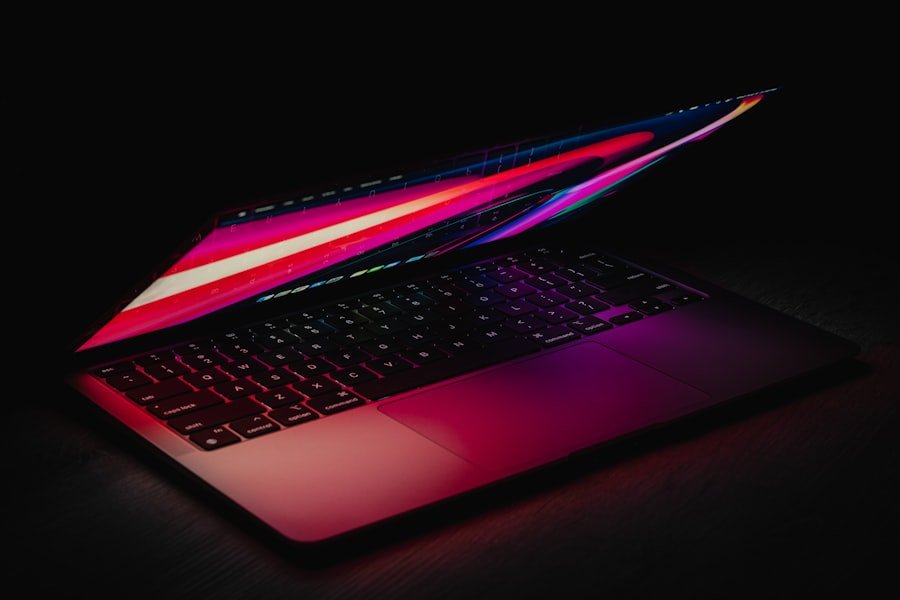
When it comes to budget considerations, students typically operate within tighter financial constraints compared to gamers who may be willing to invest more heavily in their equipment. The price range for student laptops generally falls between $500 and $1,200, depending on the specifications required for their coursework. Affordable options often include Chromebooks or entry-level Windows laptops that provide sufficient performance for basic tasks but may lack the power needed for more demanding applications.
Gamers are often prepared to spend significantly more on their laptops due to the specialized hardware required for optimal gaming experiences. The price range for gaming laptops can vary widely—from around $800 for entry-level models equipped with decent GPUs—to over $3,000 for high-end machines featuring top-tier components capable of running the latest games at maximum settings. Gamers often view their laptops as long-term investments; thus, they may prioritize features such as upgradeability and build quality over initial cost.
Recommended Laptops for Students
For students seeking reliable laptops that meet their academic needs without breaking the bank, several models stand out in the market. The Dell XPS 13 is frequently lauded for its sleek design and powerful performance; equipped with Intel’s latest processors and an impressive battery life of up to 12 hours, it’s an excellent choice for students who need portability without sacrificing power. Another strong contender is the Lenovo IdeaPad Flex 5; this 2-in-1 laptop offers versatility with its touchscreen capabilities while providing solid performance thanks to its Ryzen processors.
For those on a tighter budget, the Acer Aspire 5 presents an attractive option with its balance of affordability and functionality. It features a full HD display and decent processing power suitable for everyday tasks like browsing and document editing. Additionally, the HP Pavilion x360 offers flexibility as a convertible laptop; its ability to switch between laptop and tablet modes makes it ideal for note-taking during lectures or casual browsing during downtime.
Recommended Laptops for Gamers
Gamers looking for high-performance laptops have numerous options tailored specifically to their needs. The ASUS ROG Zephyrus G14 stands out as one of the best gaming laptops on the market; it combines powerful AMD Ryzen processors with NVIDIA GeForce RTX graphics in a compact form factor that doesn’t compromise on performance or battery life. Another excellent choice is the Razer Blade 15; known for its premium build quality and stunning display options, this laptop delivers exceptional gaming experiences across various genres.
For those seeking more budget-friendly options without sacrificing too much performance, the Acer Nitro 5 offers solid specifications at an accessible price point. With its dedicated NVIDIA GTX graphics card and customizable RGB keyboard, it appeals to gamers looking for both functionality and style. Similarly, the Dell G5 15 provides a good balance of performance and affordability; equipped with Intel’s latest processors and ample storage options, it’s well-suited for gamers who want reliable performance without overspending on high-end features.
In summary, both students and gamers have unique requirements when it comes to selecting laptops that cater to their specific needs. Understanding these differences helps consumers make informed decisions when investing in technology that will support their academic pursuits or gaming passions effectively.
FAQs
What are the key differences between laptops for students and laptops for gamers?
Laptops for students typically prioritize portability, battery life, and affordability, focusing on tasks like note-taking, web browsing, and document editing. Gaming laptops, on the other hand, emphasize high-performance components such as powerful GPUs, faster processors, and advanced cooling systems to handle demanding games and graphics-intensive applications.
Are gaming laptops suitable for student use?
Yes, gaming laptops can be used by students, especially those who require high performance for tasks like video editing or 3D modeling. However, they tend to be heavier, more expensive, and have shorter battery life compared to typical student laptops.
What features should students look for in a laptop?
Students should look for laptops with good battery life, lightweight design, sufficient RAM (at least 8GB), a reliable processor (such as Intel i5 or AMD Ryzen 5), and enough storage (SSD preferred). A comfortable keyboard and a decent display are also important for long study sessions.
What specifications are important in gaming laptops?
Gaming laptops should have a dedicated graphics card (such as NVIDIA GeForce GTX or RTX series), a high-refresh-rate display (120Hz or higher), a powerful CPU (Intel i7/i9 or AMD Ryzen 7/9), ample RAM (16GB or more), and efficient cooling systems to maintain performance during extended gaming sessions.
Is battery life a concern for gaming laptops?
Yes, gaming laptops generally have shorter battery life compared to student laptops due to their high-performance components. They often require being plugged in for optimal performance during gaming.
Can student laptops handle gaming?
Student laptops can handle casual or less demanding games but may struggle with modern, graphics-intensive titles. For serious gaming, a dedicated gaming laptop is recommended.
How does price compare between student and gaming laptops?
Student laptops are usually more affordable, ranging from budget to mid-range prices. Gaming laptops tend to be more expensive due to their advanced hardware and specialized features.
Are there laptops that serve both students and gamers well?
Some mid-range laptops offer a balance between performance and portability, suitable for both students and casual gamers. However, they may not excel in either category compared to specialized laptops.
What operating systems are common for student and gaming laptops?
Most student and gaming laptops run Windows due to its wide software compatibility. Some students may prefer macOS for its ecosystem, while gaming is predominantly supported on Windows.
How important is portability for student laptops?
Portability is very important for students who carry their laptops to classes and libraries. Lightweight and slim designs with good battery life are preferred to facilitate mobility.